 11
11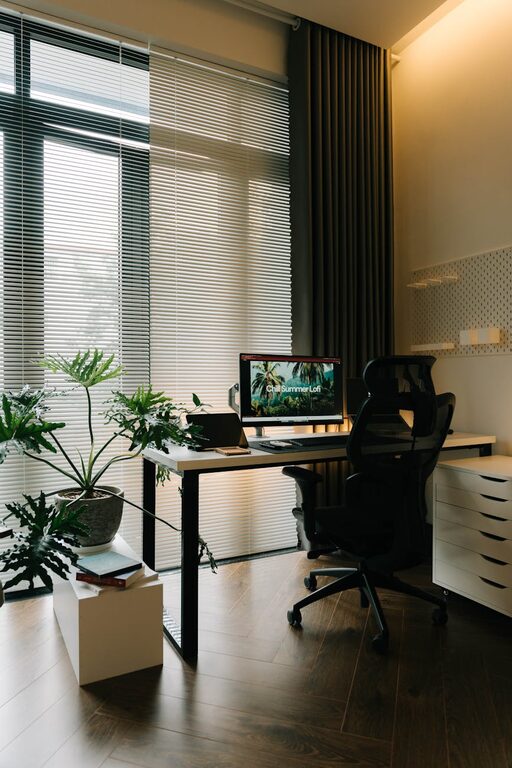
Creating a home office that is both inviting and functional is essential for anyone working remotely, freelancing, or simply needing a dedicated space to focus. A well-designed workspace can improve your productivity, reduce stress, and help you separate work from home life. Whether you have a spare room or just a small corner to set up, these tips will help you create an efficient and comfortable home office.
One of the first steps in setting up your home office is selecting the most suitable spot. Ideally, you want a quiet area with minimal distractions. A room with natural light is a bonus, as daylight boosts mood and concentration.
If you live with others, try to choose a space where you won’t be frequently interrupted. Close doors if possible or use noise-cancelling headphones to help maintain focus.
Position your desk near a window to benefit from natural light, which is easier on the eyes than artificial lighting and helps reduce fatigue. Avoid having the window directly behind your screen to prevent glare.
A comfortable and supportive setup reduces physical strain during long work hours.
Choose a chair that supports your lower back and allows your feet to rest flat on the floor. Adjustable height and armrests are helpful features to accommodate your posture.
Your desk should be at a height that lets you keep your forearms parallel to the floor while typing. Ensure there is enough space to hold your computer, paperwork, and any other essentials without feeling cluttered.
An organised workspace helps keep your mind clear and focus sharp. Consider these organisation tips:
– Storage Solutions: Use shelves, filing cabinets, or boxes to keep documents and supplies tidy.
– Minimal Desk Clutter: Keep only daily essentials on your desk and store away the rest.
– Cable Management: Use clips, sleeves, or under-desk trays to prevent cords from tangling.
To make your office inviting, include elements that reflect your personality and promote comfort.
Add a few framed photos, plants, or artwork that inspire you. Plants especially can improve air quality and bring a calming touch to your environment.
Supplement natural light with adjustable desk lamps or soft overhead lighting. Avoid harsh fluorescent lights that can cause eye strain.
Ensure your workspace is well-ventilated and at a comfortable temperature. A small fan or heater can help regulate the atmosphere.
Having the right technology setup can make daily tasks smoother.
– Reliable Internet Connection: Essential for video calls and online research.
– Quality Hardware: A good monitor, keyboard, and mouse reduce fatigue and potential ergonomic issues.
– Communication Tools: Apps for messaging and video calls keep you connected with colleagues or clients.
– Backup and Security: Regularly save your work and use antivirus software to protect your data.
Creating a home office is not just about physical setup but also about forming good habits.
Set clear start and end times to help separate work from leisure, which is essential for mental wellbeing.
Remember to step away from your desk regularly to stretch and rest your eyes. This aids productivity and prevents burnout.
Try to restrict work tasks to your designated office space to mentally switch off when you leave.
Your home office needs may evolve as your work changes. Regularly assess what works and what doesn’t, and don’t be afraid to reorganise or upgrade items to suit your current needs.
—
Creating a home office space that is both inviting and functional is achievable with some thoughtful planning and attention to detail. By choosing the right location, investing in ergonomic furniture, organising efficiently, and personalising your space, you’ll enjoy a productive and pleasant work environment right at home.